Preparing, on the way, delivered: customers know every step without calling
Suggested plan: Starter or Pro
For restaurants, cafes, bakeries, sweet shops, florists and home kitchens that take orders on WooCommerce. Each order status you choose sends your own WhatsApp message, you get an alert for each new order, and your chat answers by itself when you are closed.
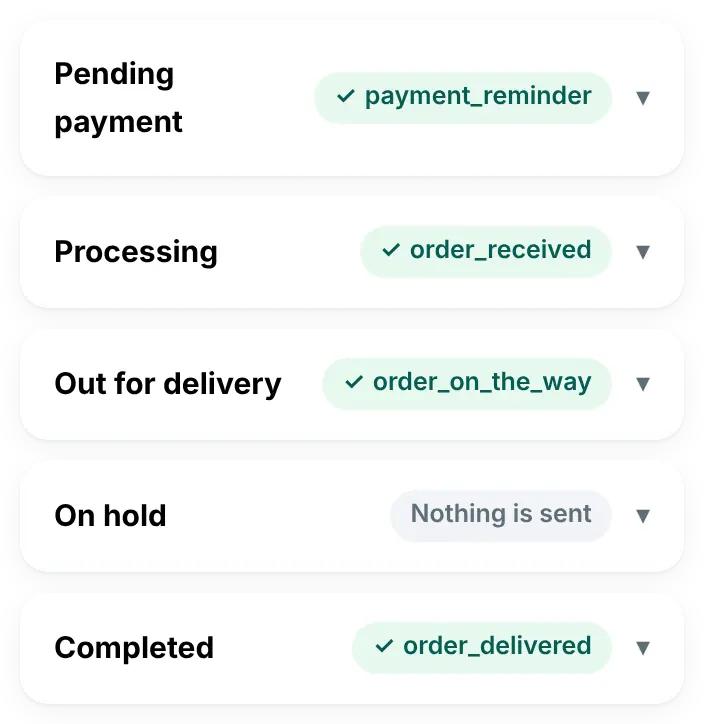
- Each order status sends your own message
- A WhatsApp alert for each new order
- Replies by opening hours (Pro)
- Hands the chat to your team when needed (Pro)
What your customer gets on WhatsApp

What you set once in WordPress
Sound familiar?
What owners of food and flower shops tell us about a busy evening.
“The phone rings: is my order ready yet?”
Every call pulls someone away from the kitchen or the counter, right at the busiest hour.
“I see new orders too late.”
An order waits in the dashboard while everyone is busy, and the customer is still waiting.
“Messages come in after we close.”
A customer asks at midnight and hears nothing until the next day, if anyone remembers to reply.
A birthday box, from the oven to the door
Noura orders a box of cupcakes from Sukkar Bakery. The order messages go out by themselves when the bakery changes the order status. The reply in the middle comes from the owner, in the inbox app on her phone.
- “Processing” sends the confirmation, with the order number
- “Out for delivery”, a status the plugin adds to WooCommerce, with the delivery area from the order
- Noura’s question reaches the owner’s phone with a notification (Pro)
- “Order delivered” closes the loop, with no phone call
Processing
Order #2215 is confirmed. Thank you, Noura! We’re preparing it now 🧁
Out for delivery
Your order is out for delivery to Jabriya. Our driver will call you when he arrives.
Noura
Can you add birthday candles? 🎂
Sukkar Bakery · the owner, from the inbox app
Of course, Noura! The driver has them with him.
Order delivered
Your order was delivered. Enjoy, and thank you for ordering from Sukkar Bakery 🌷
Four moments where it helps
The plan name shows the smallest plan that includes it.
A new order while you are at the counter
In every plan, from Starter upThe customer gets your confirmation. You get a WhatsApp alert on your own number with the order number, the customer’s name and phone, the total and the payment method.
The driver leaves
In every plan, from Starter upSet the order to “Out for delivery” and the customer gets your message. Statuses you add with another plugin, such as “Ready for pickup”, show up on the Order messages screen too, each with its own template.
A message after closing time
Pro plan and upThe ready “Outside working hours” automation checks your opening hours and tells the customer when you open again, at most once every 12 hours for the same customer.
“Do you deliver to my area?”
Pro plan and upAn “Ask a question” step asks for the address or a shared location. “Notify the team” sends it to your phone, and “Talk to a person” hands the chat to your team.
The features that help most
Order messages
In every plan, from Starter upYour own template for each order status, custom statuses too, with values from the order.
New-order alert
In every plan, from Starter upA WhatsApp message to your own number for every new order.
A thank-you code after delivery
In every plan, from Starter upWhen an order reaches “Order delivered”, “Discount after delivery” sends a code for the next order, only to customers who agreed to marketing messages.
Inbox app
Pro plan and upEvery customer chat on your phone, with a notification, saved replies and the customer’s orders.
A welcome menu
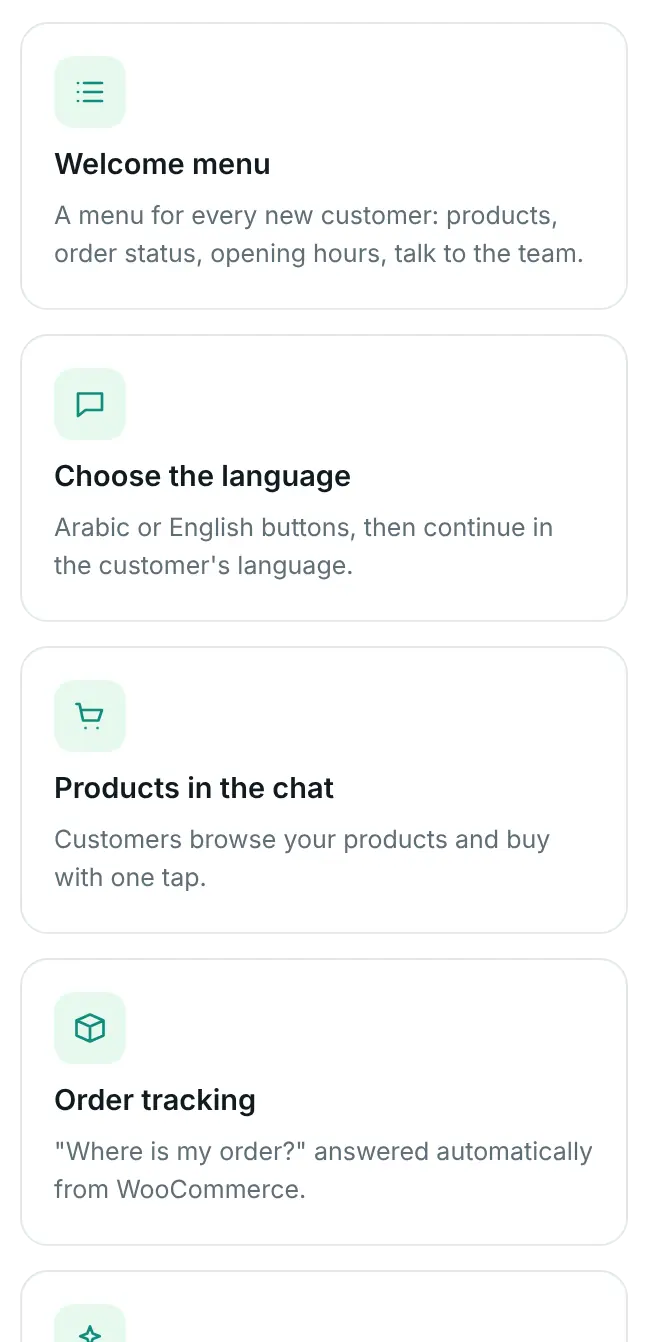
Pro plan and upUp to 10 choices: your products with Buy now, track my order, opening hours and talk to our team.
Replies by opening hours
Pro plan and upA different answer when you are open and when you are closed, by day and time.
Your chat knows when you are open
Pro plan and up
- The “Opening hours” condition: choose the days and the times, and each path gets its own reply
- Late kitchens are covered: a shift that runs past midnight counts as one evening
- The hours follow your WordPress time zone
- The “Welcome menu” has an “Opening hours” choice, next to your products, order tracking and your team
Start from a ready automation, change the words and the hours, and use “Try it” on your own WhatsApp before you switch it on.
What you choose in WordPress
The plan we suggest
Starter if you only want the updates to go out. Pro when you also want to answer chats from your phone and reply by opening hours.
Starter
$55/year (≈ 17 KD)
For one store.
For updates
- A message for every order status, custom ones too
- The new-order alert to your number
- Cart reminders, login codes, Connection Doctor and account health
Pro
$125/year (≈ 38 KD)
For one store.
Suggested
- Everything in Starter
- The inbox app on iPhone and Android, with saved replies
- Automations: opening hours, a menu, products with Buy now and a hand-over to your team
Good to know
Meta facts as of 31 October 2026.
A message goes out when someone changes the status in WooCommerce, once per status for each order. If you move an order straight to “Completed”, only that message goes out. The plugin does not track your driver’s location.
Each order update and each new-order alert is a template message. Meta bills your own WhatsApp Business account for each delivered message, at its rate for your customer’s country. Since 1 October 2026 that includes messages inside the 24-hour customer service window: Meta charges nothing for the first 1,000 replies each month on each WhatsApp number, then charges its service rate. Utility templates sent inside the window are charged at the utility rate. When a customer writes from your click-to-WhatsApp ad and you answer within 24 hours, Meta charges nothing in that chat for up to 7 days. We add nothing on top. See Meta’s pricing page.
Product photos show in the chat when they are JPEG or PNG up to 5 MB. A product with only a WebP photo is sent without the picture.
Write about ingredients, size, taste and delivery. Keep health or healing claims out of your templates, saved replies and product texts, and check Meta’s Commerce Policy for what may be sold on WhatsApp.
Questions from restaurants and shops
Do orders from delivery apps get messages too?
No. The plugin sends messages for orders in your WooCommerce store. An order taken by phone gets them when you create it as a WooCommerce order with the customer’s number.
Can I add my own status, like “Ready for pickup”?
The plugin adds two statuses to WooCommerce, “Out for delivery” and “Order delivered”, once you switch them on in Settings → WooCommerce. For others, use a plugin that adds order statuses. Each one then appears on the Order messages screen, where you pick its template.
Can more than one person get the new-order alert?
The alert goes to one WhatsApp number, the “Admin WhatsApp Number” in Settings → General. Use a number your team keeps an eye on.
We stay open past midnight. Does that work?
Yes. The opening-hours condition handles hours that run past midnight, and you choose the days of the week.
Do I need the Pro plan?
Starter sends the order messages and the new-order alert. Answering customers in the inbox app and replies by opening hours start with Pro.
Let customers follow their order without calling
Pick a plan today, or ask us anything first.