Draw the conversation once,
and replies run themselves
Pro plan and up. AI replies: Business plan and up.
Your WhatsApp answers common questions by itself, and passes the chat to you when the customer asks. You arrange the replies once, in WordPress: a welcome menu, answers, questions, products from your store with a Buy now button, and the customer’s orders.
- Answers only customers who wrote in the last 24 hours
- A person is one word away, from any step
- Arabic and English screens and replies
- Optional AI step with your own key
What your customer gets on WhatsApp

What you build once in WordPress
How it works
Once, in WordPress: you start from a ready automation and change its words. After that, every chat goes like this:
A customer writes, or taps your ad
For example “menu”, or they arrive from your click-to-WhatsApp ad, a link or a QR code.
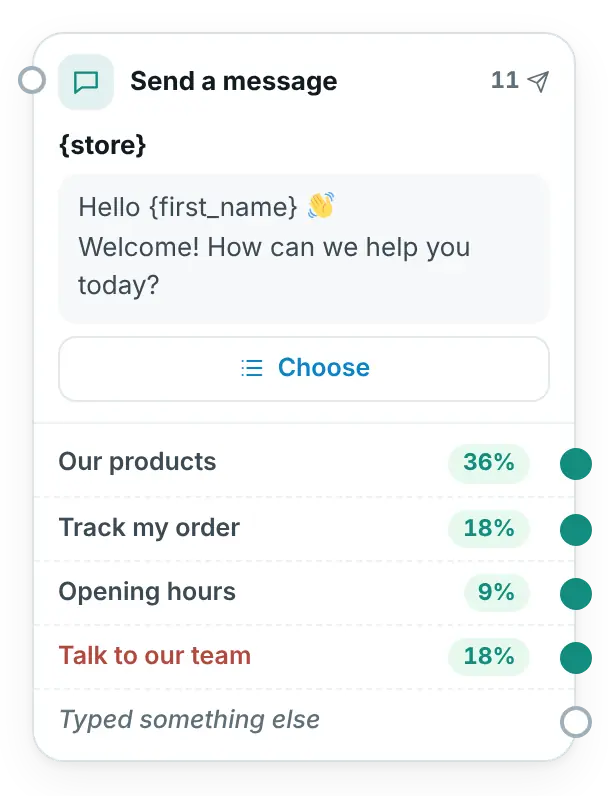
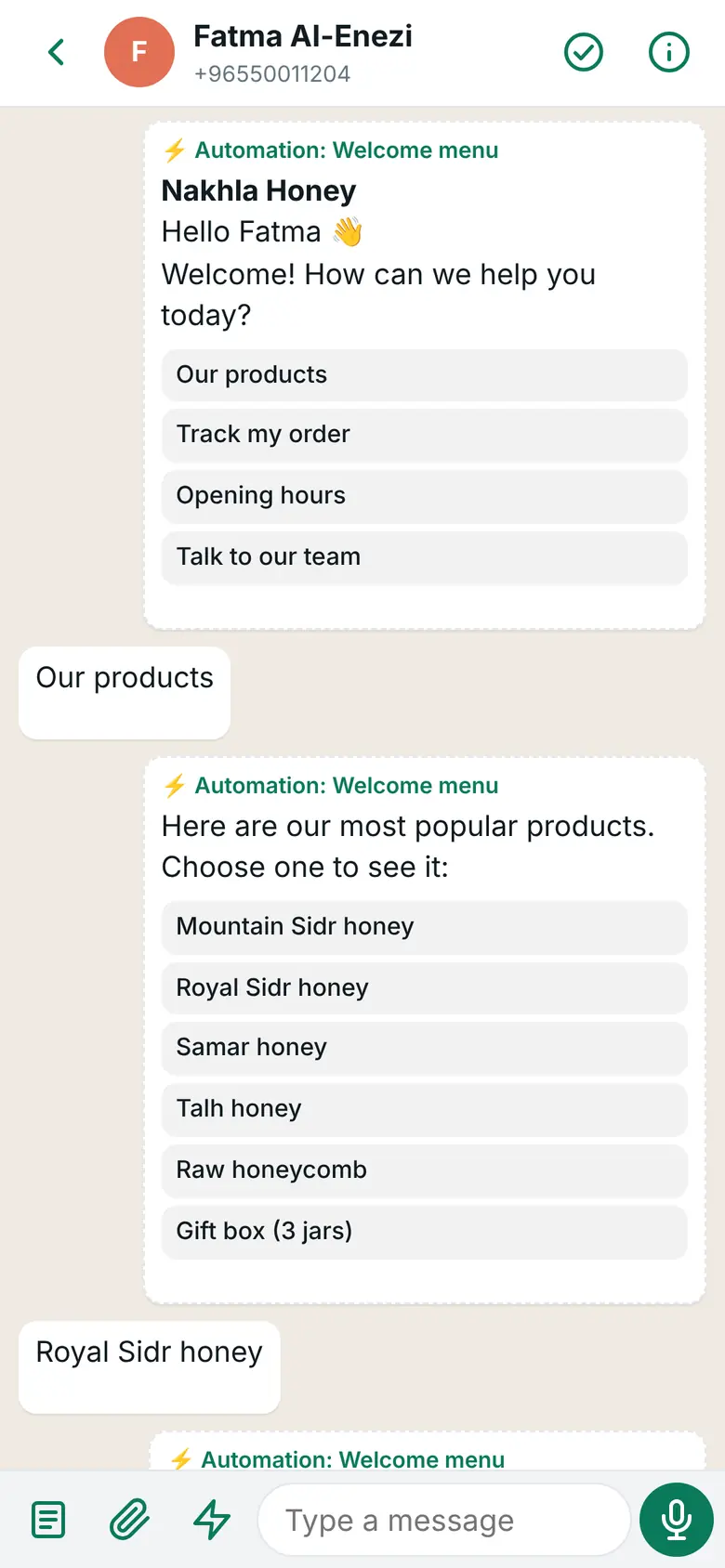
They get your menu with buttons
A tap shows your products with a Buy now button, or the status of their latest orders.
They ask for a person, and you take over
If they write “agent”, the automation stops, your phone gets a notification and you carry on from the inbox app.
An automation answers only customers who wrote to you in the last 24 hours, so it never needs a template.
What happens when your customer writes?
Type a message the way your customer would, or pick an example, then choose where the customer comes from. This page applies the same order of rules as the plugin. One automation can have several ways to start.
After normalising: where is my order
“Order tracking” starts
The message contains “order”. The customer gets the status of the last 3 orders for their number from WooCommerce, with the payment link for any unpaid one.
Stop word
Like “stop” or «إيقاف». Any automation the customer was in ends, and marketing messages to them stop.
A person is talking to the customer
After a hand-over, or after you reply from the inbox, automations stay quiet for the time you choose.
Hand-over word
Like “agent”, “human” or «موظف», from any step.
Click-to-WhatsApp ad, link or QR code
The customer comes from your Facebook or Instagram ad: every ad, or only the ad IDs you list. Meta charges nothing for your messages in these chats for up to 7 days after your first answer (as of 31 October 2026). Or they come from a wa.me link with its own code, for your website, Instagram or a flyer. The QR code is drawn in your browser; the link is not sent anywhere.
Keyword
The message is exactly, starts with, or contains one of your words, like “menu” or «القائمة». أ/ا and ة/ه count as the same, and capitals do not matter.
First message
A customer writes to you for the first time.
Any other message
A default reply when nothing else answered, at most once every few hours per customer (12 hours unless you change it). It is not sent for a message like “thanks” or “ok”.
In this example the ready automations “Welcome menu”, “Order tracking”, “Products in the chat” and “Customers from ads” run with their original words. Your own words may differ.
Steps for everything you need
Each box on the canvas is one step: something the customer gets, a question, a check, a wait, or a hand-over to your team. Nine kinds, in four groups:
Send and show
- Send a message
- Text with a title, picture, video or file on top. The customer answers with up to 3 buttons, a menu of up to 10 choices, or a link button.
- Show products
- Best sellers, newest, featured, on sale, a category, or products you choose. The customer picks one and gets its picture, price, description and a “Buy now” button.
- Customer’s orders
- The latest orders of the WhatsApp number the customer writes from, with status, total and date, and a payment link for unpaid ones. “Has orders” and “No orders” take different paths.
Ask and decide
- Ask a question
- Any text, a name, a number, an e-mail, a phone number, or an address or shared location. The answer is saved for later texts and conditions, with a “Did not answer correctly” path.
- Condition
- A different path by language, tag, has ordered before, opening hours, a saved answer, accepts offers, or came from an ad.
Wait and act
- Wait
- Continue after a few minutes or hours, up to 23 hours, and only while the customer’s 24-hour window is still open.
- Actions
- Add or remove a tag, set the language, save a value, notify the team, mark the chat as waiting or as done, and sign up for offers or stop them.
Hand over to a person
- Talk to a person
- Hands the chat to your team with a short message to the customer, and the automations stay quiet in that chat.
- AI reply Business plan
- Answers questions about your store in the customer’s language. How AI replies work
Typing works like tapping
A customer may type a button’s name or its number instead of tapping it. Anything else follows the “Typed something else” path.
A path for “No reply”
On menus, questions, product lists and the AI step, “If there is no reply after…” sends a quiet customer down its own path, for example a reminder or a person.
Start another automation
A step that sends the customer on into another automation, so one menu can be reused everywhere.
A clear end
When a path has no next step, the automation ends there. A customer who writes a stop word such as “stop” or «إيقاف» leaves the automation too.
From a question to checkout, in one chat
- “Buy now” puts the product in the cart once and opens checkout straight away
- Products with options (size, colour…) open their product page, so the customer can choose
- Each link is tagged with WhatsApp and the automation it came from, so WooCommerce’s order attribution shows which automation made the sale
- Unpaid orders come with their payment link in “Customer’s orders”
An automation can start from your click-to-WhatsApp ads too. See how abaya and fashion stores use it.
What you see on your phone
24 hours from the customer’s last message
Automations only answer customers who wrote in the last 24 hours, so they never need a template. For offers to customers who agreed, use campaigns (Business plan).
A person is always one step away
WhatsApp asks businesses to always offer a way to reach a person. The builder warns you when an automation has none.
The customer writes “agent”
From any step, even in the middle of a question
Words like «موظف», «كلم موظف», «خدمة العملاء», “agent” or “human”. You choose the words in Automations → Settings.
The automation stops at once
The chat is marked as waiting for the team, and the customer gets a short message.
Your team hears about it
A notification on every phone with the inbox app. With no phone set up, an e-mail goes to the site’s admin address.
Automations step aside
12 hours by default
They stay quiet for the hours you choose, or until you mark the chat done. After you reply from the inbox, they wait an hour (adjustable).
Edit a live automation without surprising anyone
Customers keep getting the published version while you work on a new one.
You edit an automation that is on
Your changes are kept as a draft, marked “Unpublished changes”.
Customers still get the published version
Meanwhile “Try it” runs your draft on your own WhatsApp. The phone must have written to your business number in the last 24 hours.
You press “Publish”
From then on customers get the new version. Or you discard the changes. A version with a mistake is never published.
Switching an automation off ends it for the customers who are inside it.
Numbers on every step
The canvas shows what happens, so you can see where customers stop.
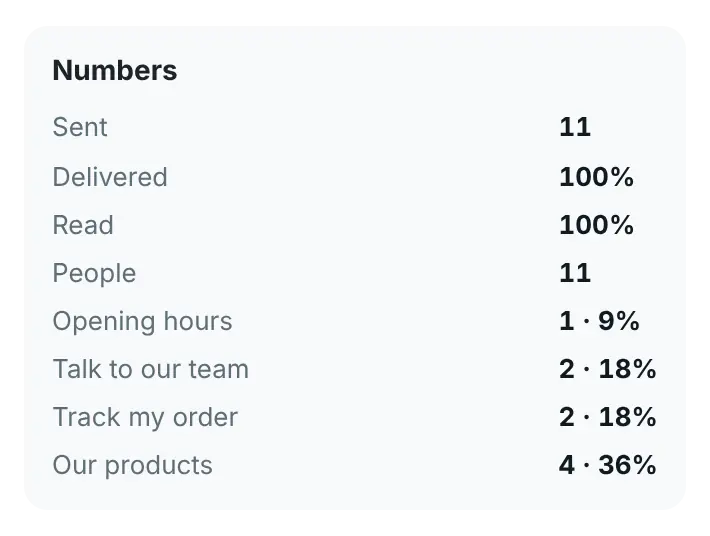
- For each step: sent, delivered and read, the people who got it, and messages that failed
- For each button or menu choice: how many customers tapped it, also as a share of those who got the message
- For the automation: people, starts, finished, and chats handed to the team
- The list of automations shows people, starts and the last run of each one
What you see in WordPress
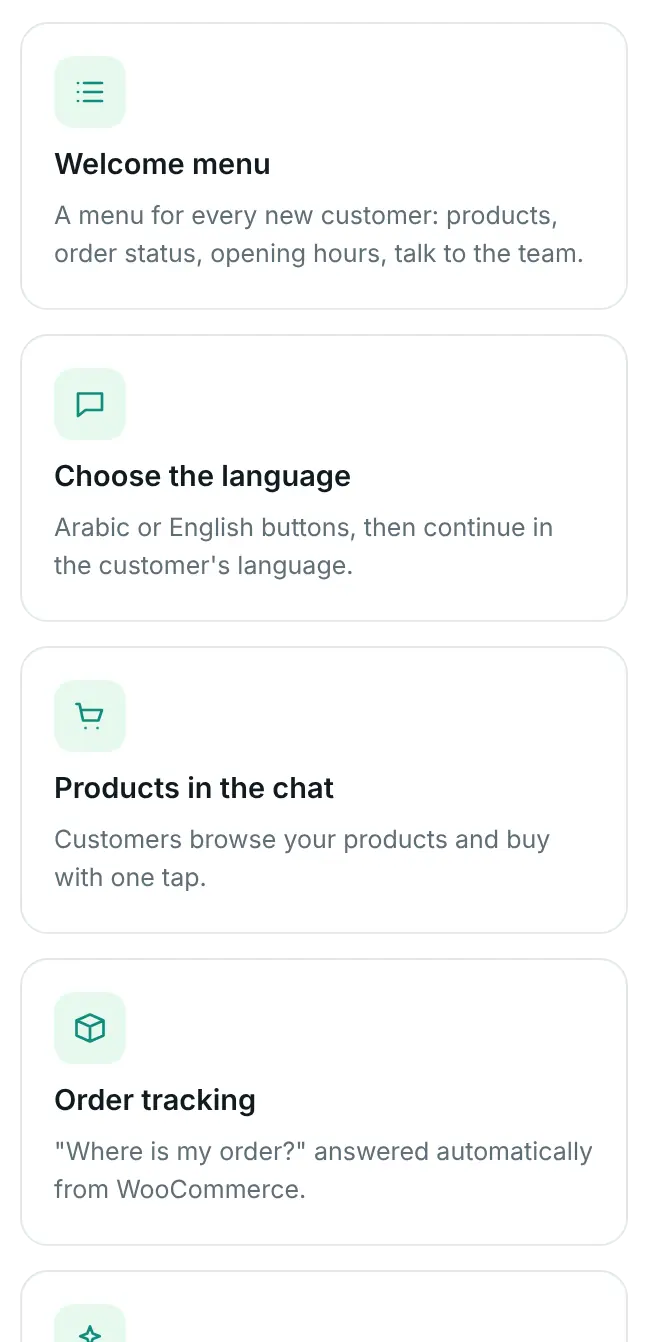
Start from 7 ready automations, or an empty canvas
- Welcome menu: products, order status, opening hours, talk to the team
- Choose the language: Arabic or English buttons, then the customer’s language
- Products in the chat: customers browse and buy with one tap
- Order tracking: “Where is my order?” answered from WooCommerce
- AI assistant: answers about your store and products (Business plan)
- Outside working hours: tells customers outside your opening hours when you are back
- Customers from ads: greets them, asks their name and need, and alerts your team
Their texts are written in your plugin language, and you change anything you like.
What you choose in WordPress
AI replies about your store, with your own key
Business plan and up. The “AI reply” step answers customers’ questions about your store and products, in their language, and hands the chat to a person when it should.
Your own AI account
Paste your own Anthropic or OpenAI-compatible key in Automations → Settings, then “Save and test the AI”. The provider bills you directly. The key is never shown on the screen again.
Only about your store
It answers from what you write in “How it should answer” and “Store information”, and from your products with prices and links if you tick that box. It is told to stay on your store’s topics and to say so politely when asked about anything else.
Says it is automatic
Its first answer tells the customer they are talking to the store’s automatic assistant, and which word reaches your team.
A person when in doubt
It hands over when the customer asks for a person, is upset or it cannot help, and on any error at your AI provider. A voice note or photo it cannot read gets a request to type the question, or the offer of a person. Even without a connected path, the chat goes to your team.
Private data stays out
Login codes, card-like numbers, IBAN account numbers and payment links are removed before anything goes to the provider, and it is told never to ask for card, account or ID numbers, passwords or codes.
Limits that protect your credit
By default at most 40 AI answers per customer and 500 for the whole store each day; after that a person takes over. It also needs the App Secret saved, so only Meta can send messages to your site.
Meta’s rules on AI
Since 15 January 2026, WhatsApp’s business terms do not allow general-purpose AI chat assistants. This step is built as a support assistant for your own store only: it stays on your store’s topics, says it is automatic, and hands over to a person. It does not see the customer’s orders or account; for “Where is my order?”, use the “Customer’s orders” step.
What the provider gets: the customer’s question, the recent messages of that chat (without login codes or card-like numbers), the customer’s name and your store information. Mention your AI provider in your store’s privacy policy. If AI is turned off for your site in WordPress, the step does not run and your team answers.
Who you pay
To us, once a year
Automations come with the Pro plan, AI replies with the Business plan. No fee per message.
To Meta, per message
Since 1 October 2026 Meta charges for replies, the automation’s answers included: the first 1,000 each month on each WhatsApp number cost nothing, then Meta charges its service rate for the customer’s country. Chats from your click-to-WhatsApp ad cost nothing for up to 7 days (as of 31 October 2026).
To your AI provider
Only if you use the AI step. The provider bills your own account for what it uses.
Questions about automations
Can an automation message customers who did not write to me?
No. Automations only answer customers who wrote in the last 24 hours, so they never need a template. For offers to customers who agreed, use campaigns (Business plan).
What happens when I reply myself?
Your reply from the inbox ends what the automation was waiting for, and automations stay quiet in that chat for an hour (you can change it, or turn the pause off). When you mark the chat done, they answer again.
Do I need WooCommerce for every step?
Only “Show products” and “Customer’s orders” need WooCommerce. Menus, questions, conditions and hand-overs work without it.
Two automations use the same trigger. Which one answers?
The older one. The builder warns you when two automations share the first-message, any-message or ad trigger, so you can change one of them.
Is the AI step a general chatbot?
No. It only talks about your store, says it is automatic and hands over to a person. It is part of the Business plan and uses your own key with your AI provider.
Can I ask customers for card or ID numbers?
No, and the builder warns you if a message asks for card numbers, bank accounts, ID numbers or passwords. Send customers to your store’s secure checkout instead.
Let your WhatsApp answer while you work
Automations come with the Pro plan. Add AI replies with the Business plan.
For companies and organisations, or any question: our management line
+965 6993 7627