Every customer chat on your phone,
with a notification for each message
Pro plan and up
The inbox app puts all your store’s WhatsApp chats on your iPhone, Android phone or computer. Reply with text, photos and voice notes, see the customer’s orders next to the chat, and close it with a rating request.
- No App Store download: it opens from your own site
- Notifications on iPhone (iOS 16.4+) and Android
- Arabic right to left, or English
- Chats are stored on your own site
What you see on your phone
Inside a chat
How it works
Once: add the app from your own site to your phone’s home screen (the steps are below). After that, every chat goes like this:
A customer writes to your store
To your store’s WhatsApp number. If an automation is on, it answers first.
Your phone shows a notification
With the customer’s name and the start of the message. Tapping it opens their chat.
You reply from the inbox app
With the customer’s orders next to the chat, and saved replies one tap away.
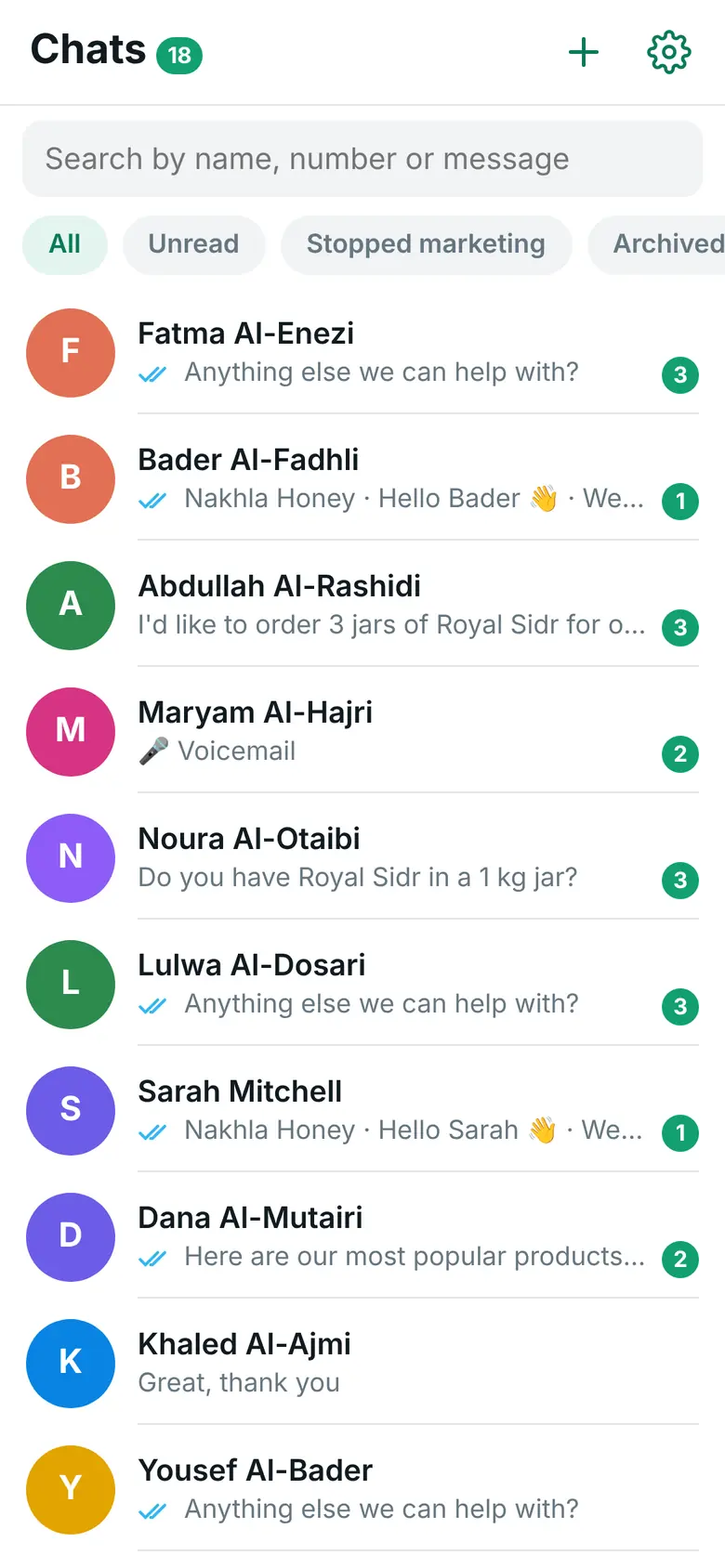
One list for every customer who writes to your store
The app lives at your-store.com/wapi-inbox/. In WordPress it is under WAPI Connect → Inbox, with an “Open the inbox” button.
Your chats
- Unread counts on each chat and on the app icon
- “Search by name, number or message”, and filters for All, Unread, Stopped marketing and Archived
- Pin a chat to the top, archive it, or mark it unread for later
- A countdown of the 24-hour reply window in every chat
- When the window has ended, “Send an approved template” and carry on when the customer replies
- “New chat” to start a conversation with any number, with an approved template
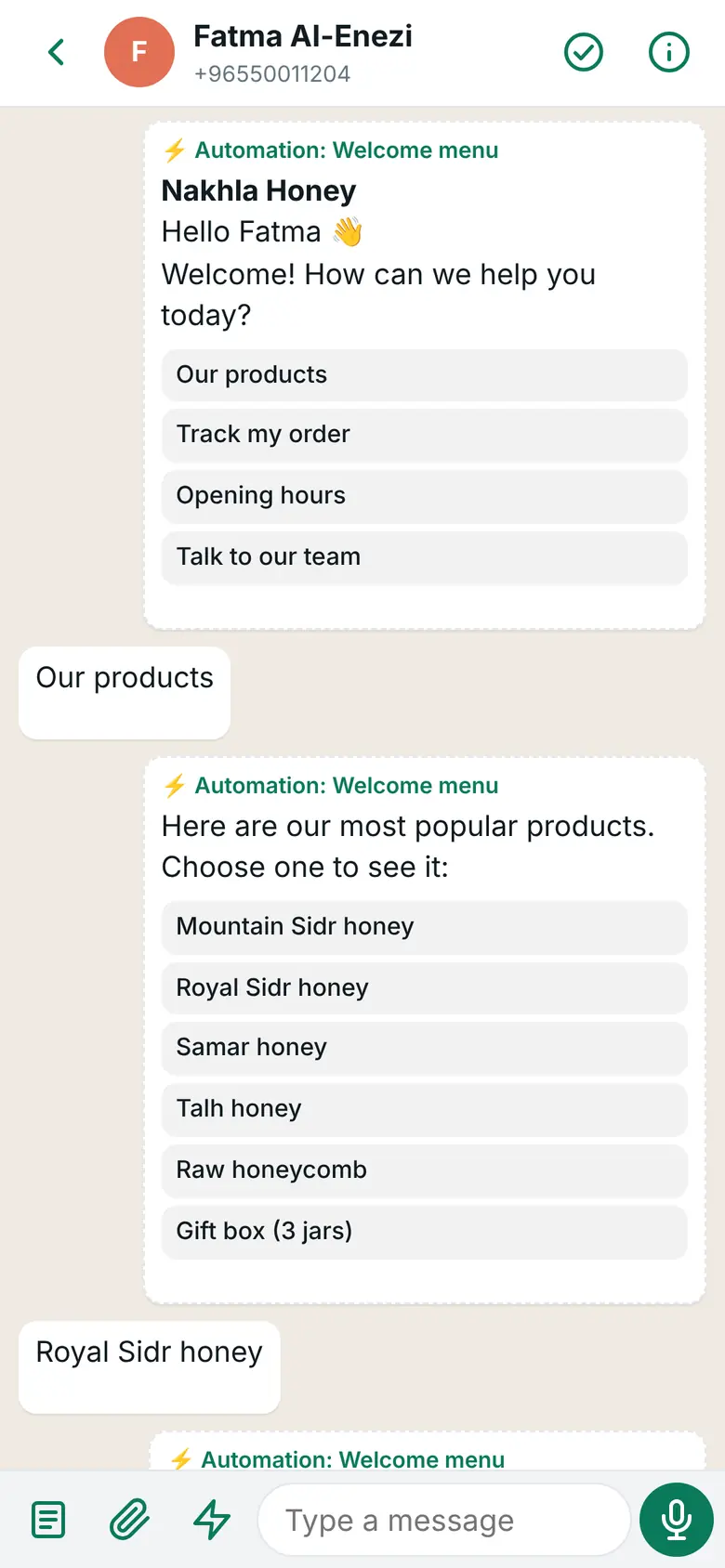
Inside a chat
- Customers’ text, photos, voice notes, videos, files, locations, button taps and reactions
- Reply with text, photos and files, or record a voice note in the app
- Reply to one message so the customer sees which one you mean
- Sent, delivered and read ticks, and a clear reason with “Resend” when a message fails
- Order updates, cart reminders and automation messages show up in the chat with a label, so you see what the customer already got
Install it from the browser, no app store
You log in with your WordPress administrator account. The app keeps you signed in for 90 days.
On iPhone (iOS 16.4 or newer)
Open it in Safari
On the iPhone, open your inbox link (
/wapi-inbox/on your site) in Safari.Add to Home Screen
Tap the Share button (the square with the arrow), then “Add to Home Screen”.
Open it from the icon
Start the app from its new icon on the Home Screen and log in.
Turn on notifications
Tap “Turn on notifications”, then “Allow”. On iPhone this needs iOS 16.4 or newer.
On Android
Open it in Chrome
Open the same link,
/wapi-inbox/on your site, in Chrome.Log in
Use your WordPress administrator account.
Turn on notifications
Tap “Turn on notifications”.
Add it to your Home Screen
You can also add it to your Home Screen from Chrome’s menu.
On a computer, open the link in your browser to answer from a bigger screen, with notifications there too.
Your phone tells you when a customer needs you
Each phone where you turned on notifications gets them. The notification shows the customer’s name and the start of the message, and opens that chat.
A new message
Every new customer message. Taps on an automation’s buttons that the automation already answered stay quiet, unless you switch that on in Automations → Settings.
A customer wants a person
When an automation hands the chat to your team. With no phone set up, the plugin sends an e-mail instead.
A ringing or missed call
From the calls log: an incoming WhatsApp call and every missed call.
Bad news from Meta
Alerts from account health, such as a lower messaging limit or a paused template.
A campaign paused itself
Business planWhen a campaign stops because of a problem on your Meta account.
Check that it works
Settings → Notifications in the app has “Send a test notification”, and shows how many devices are subscribed.
Common answers in one tap
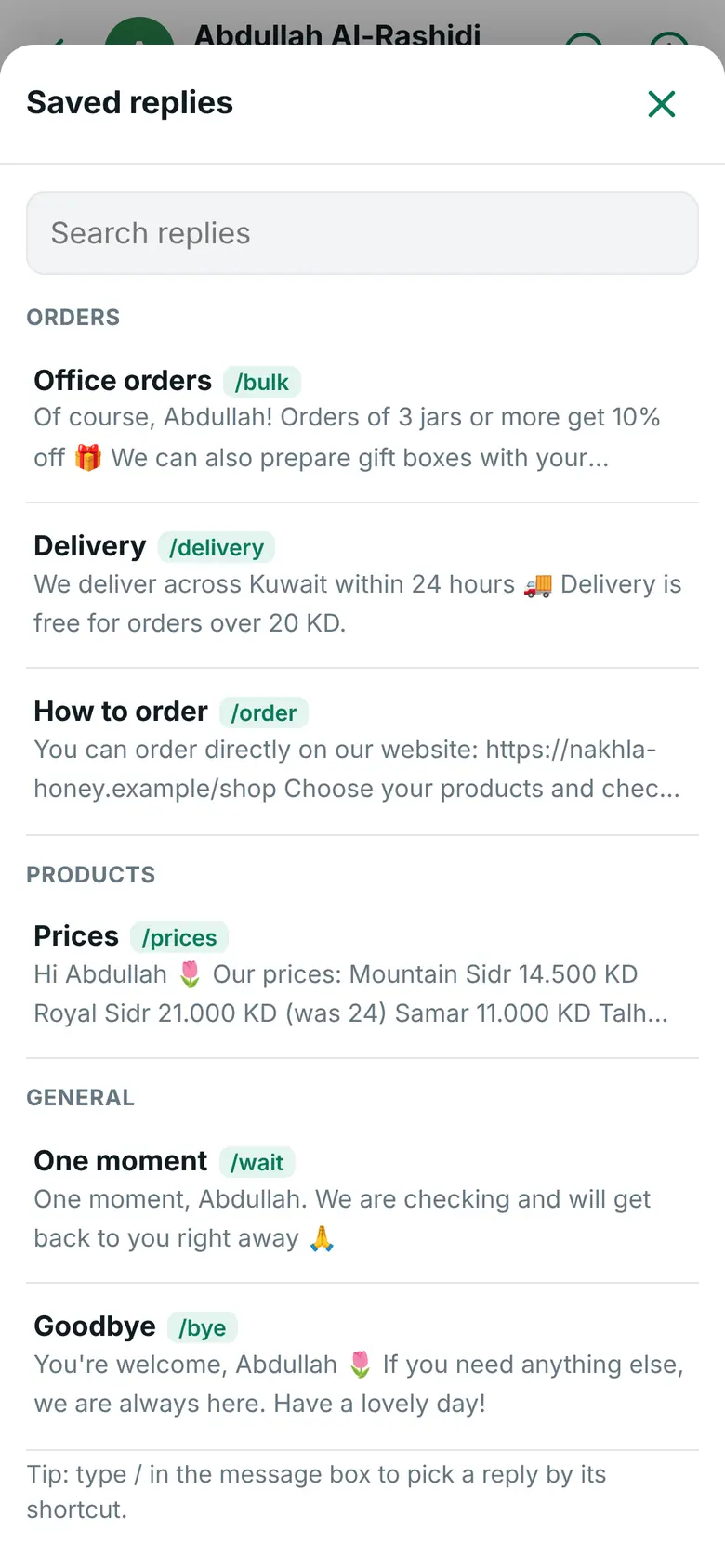
Saved replies
- Long answers you send often: prices, how to use, warranty, returns, delivery
- Insert one with the ⚡ button, or type
/and its shortcut in the message box - Sort them into groups and order them as you like
{name}becomes the customer’s first name and{store}your store name, and you see the final text before you send- “Suggest replies from my store” writes replies from your products, prices, policies, shipping and payment methods, for you to check
- Import and export them as a file, to copy them to another store
What you see on your phone
The customer’s orders, next to the chat
Customer info opens beside every chat.
- Number of orders and total paid purchases from WooCommerce
- The latest orders with their status, items and total, each linked to the order
- Abandoned carts, with “Send the cart link” while the 24-hour window is open
- A name and private notes that the customer never sees
- Call, copy the number, or open the customer’s account in WordPress
Next to the chat

Stop marketing for one customer
A customer asks for no more offers? In Customer info, tap “Stop marketing messages”. They get no more campaigns or offers, while order updates and your replies still go out. The change is saved with your name and the date.
The box also shows how a customer stopped by themselves: a stop word like “stop” or «إيقاف», Meta’s “Stop promotions” button, or WhatsApp’s own setting. “Allow marketing again” is only for a customer who asked for offers again.
Done, and a rating
“Mark as done” closes the chat. If you turn on “Ask the customer to rate the chat when you mark it as done” (Settings → Rating after the chat), the customer gets a short question with three buttons: excellent, good and bad. You write the question, the buttons and the thank-you texts.
The app shows the share of satisfied customers in the last 30 days and the recent bad ratings, so you can follow up with those customers. “Reopen” brings a chat back.
WhatsApp allows the rating question only within 24 hours of the customer’s last message. The rating question counts as one of your replies: Meta charges nothing for the first 1,000 replies each month on each WhatsApp number, then charges its service rate. In a chat that started from your click-to-WhatsApp ad it charges nothing for up to 7 days (as of 31 October 2026).
Customers who hide their number still reach you
Some customers write to you with a username on WhatsApp and keep their number hidden. Their chat still appears in the inbox, with a note that the number stays hidden until they share it, and automations still answer them.
When their number shows up, their chat joins the chat of that number. Things that need a number, such as their orders in Customer info or campaigns, start working then.
What you need
- Pro plan and up
- Your site on HTTPS, for notifications
- Pretty permalinks in WordPress (Settings → Permalinks, any option except “Plain”)
- A WordPress administrator account to log in
- For notifications on iPhone: iOS 16.4 or newer and the app added to the Home Screen
- Recommended: the App Secret in the plugin settings, so the plugin rejects fake messages that do not come from Meta
Questions about the inbox app
Do I download it from the App Store or Google Play?
No. It is a web app that opens from your own site. On iPhone you add it to the Home Screen from Safari, and then it opens like any app, with its own icon.
Can I keep using the WhatsApp Business app on my phone?
Not with the same number. The plugin runs the number on Meta’s Cloud API through your own Meta app, so it leaves the WhatsApp Business app. Keeping both at once (Meta calls it coexistence, offered only through some of Meta’s partners) is not offered by the plugin. The inbox app is where you answer instead.
Can more than one person use it?
Yes. Anyone with an administrator account on your WordPress site can log in on their own phone, and every phone that turned on notifications gets them.
Where are the chats kept?
In your own WordPress database. Photos, voice notes and files are stored in a private folder on your server that cannot be opened from the web, and are shown only to people logged in to the app. They never go to wapiconnect.net.
What does Meta charge for my replies?
Since 1 October 2026 Meta charges for replies inside the 24-hour window: the first 1,000 each month on each WhatsApp number cost nothing, then Meta charges its service rate for the customer’s country. When a customer comes from your click-to-WhatsApp ad, Meta charges nothing in that chat for up to 7 days (as of 31 October 2026). Meta bills your own account; we add nothing. See Meta’s pricing page.
What if more than 24 hours have passed?
WhatsApp then only allows a template message. The app tells you so and lets you send one of your approved templates. When the customer answers, you can chat as usual again.
Answer every customer from your pocket
The inbox app comes with the Pro plan, together with the calls log and automations.