See WAPI Connect Pro at work
The real plugin, on a demo store
A tour of the main screens, and close-up pictures of single features. Everything was filmed on a demo store, so the names, orders and numbers are made up.
The tour
About two and a half minutes: order messages, cart reminders, the inbox app, automations, campaigns, account health and Connection Doctor. The tour has no sound: each step is written on the screen, and the full text is under the video.
Read the video as text
WhatsApp for your WooCommerce store, with WAPI Connect Pro.
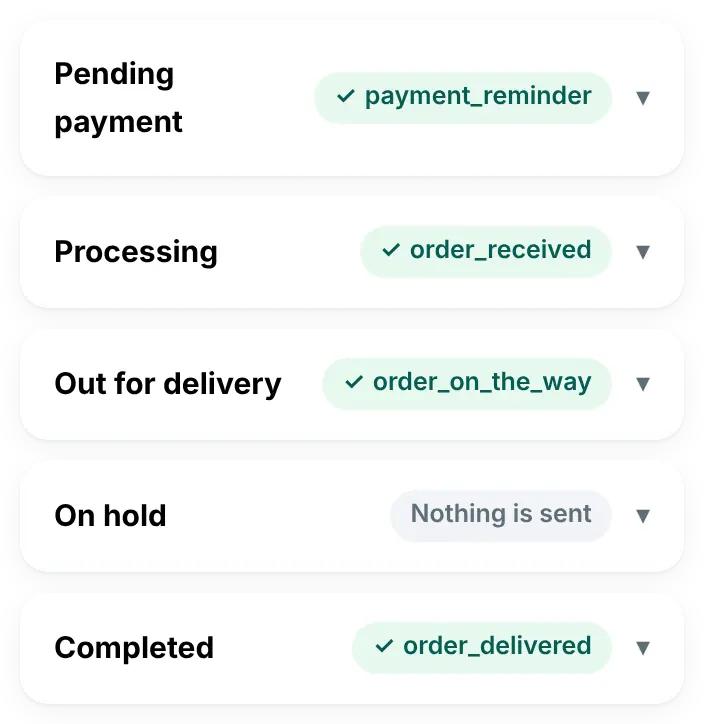
Each order status sends its own WhatsApp message.
Pick an approved template and the plugin fills in the order details.
The preview shows the message filled in with a real order.
If a customer leaves a cart, they get a WhatsApp reminder with a link back to it.
You see the sales that came back after the reminders.
Your team answers every chat from the inbox app on their phones.
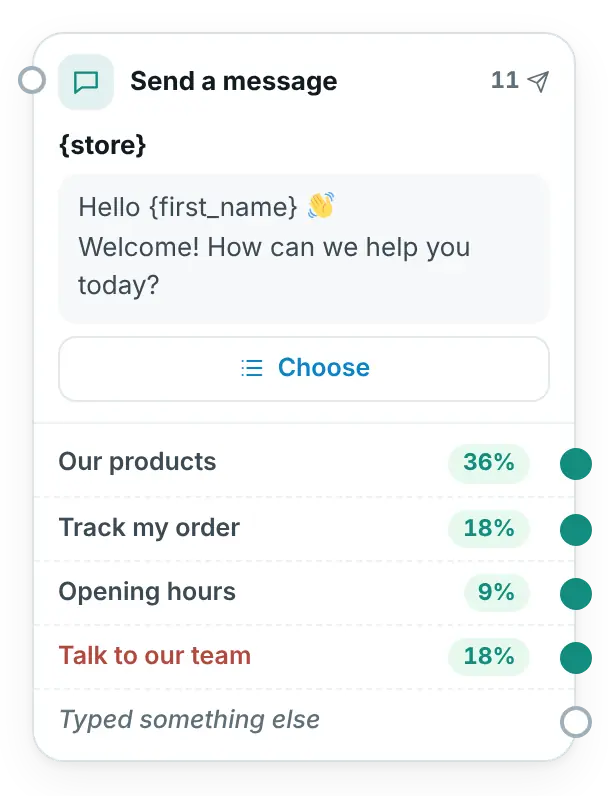
The welcome menu answers first: products, orders, opening hours.
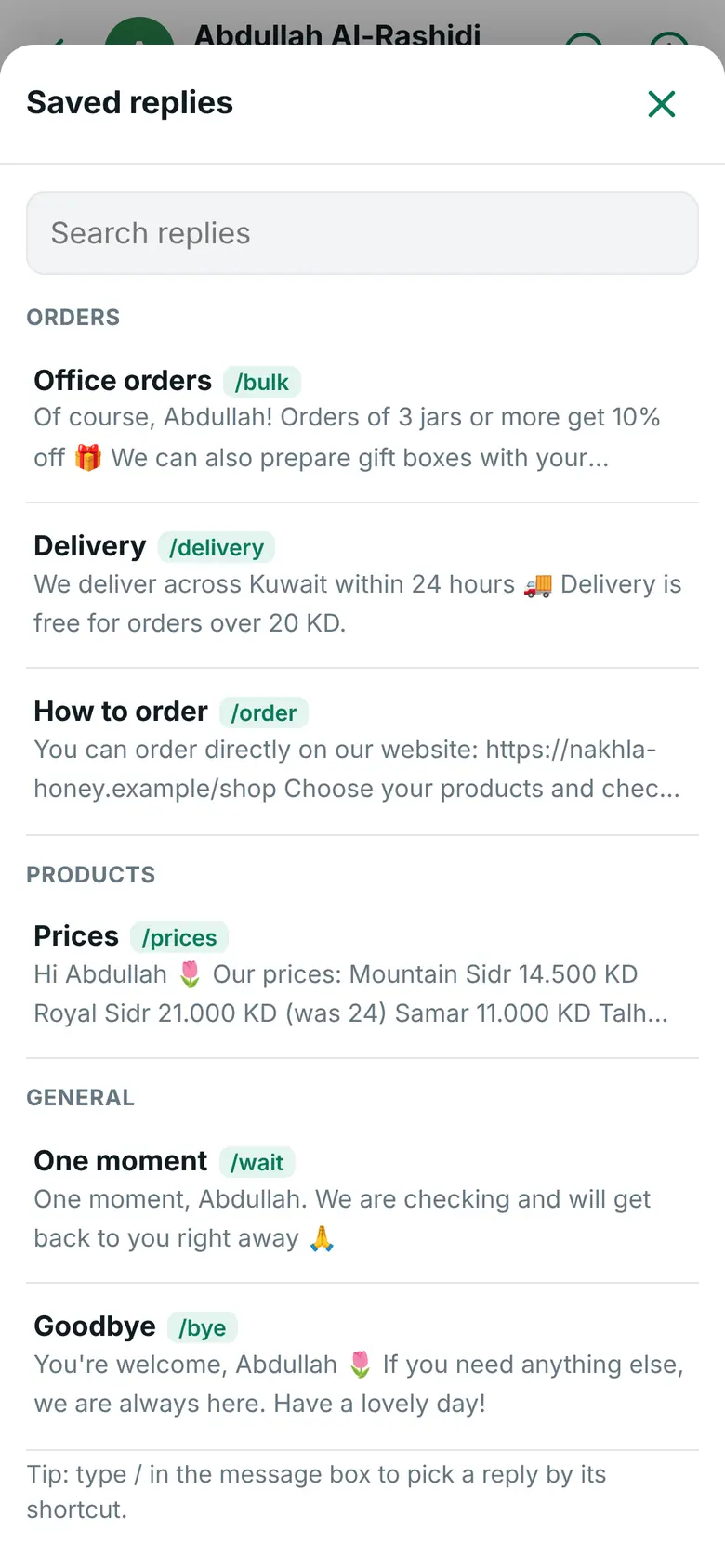
Saved replies: one tap and the answer is ready.
The customer's orders are right there, next to the chat.
Automations answer for you, day and night.
Build the conversation like a map: messages, buttons, products and a hand-over to your team.
Every step shows how many customers chose it.
Campaigns: a template with a picture and buttons, sent only to customers who opted in.
Choose who gets it: a tag, recent buyers, or everyone.
The report shows who received it, read it and replied, and why some messages failed.
Account health: your daily limit, quality rating and costs from Meta.
The Connection Doctor checks every step of the connection and tells you what to fix.
Install it, connect your number, and start today.
Close looks, one feature each
Four close looks at the plugin, each showing one part of it at real size, with demo store data. The full tour above shows them moving.
A message for every order status
In every plan, from Starter up
In WAPI Connect → Order messages you pick a template for each status once. Each time an order moves on, the customer gets that status’s message, filled in from the order.
What you set once in WordPress
What your customer gets on WhatsApp

Answer with a saved reply
Pro plan and up
In a customer’s chat on your phone, open your saved replies, tap one and send it. Typing / in the message box finds one by its shortcut.
See what customers chose
Pro plan and up
On the canvas: each step with how many customers tapped each choice. To see the conversation itself, send it messages in the tester.
Why some messages failed
Business plan and up
A campaign report shows its numbers, then explains each reason a message failed. “Show them” under a reason lists the customers it happened to.
What you see after sending

When something is wrong

Step-by-step setup videos are coming
We are recording short videos for each setup step: your Meta app, your phone number and its PIN, the permanent access token, the webhook, and Connection Doctor with a first test message. Short videos for each feature come after them.
Until then, every step is written out with screenshots of the plugin in the install guide and the docs. Would you rather have it done for you? The setup service does the Meta part with you, once.
Seen enough?
Pick a plan, or ask us anything first.