From an Instagram ad
to a paid order, inside one WhatsApp chat
Suggested plan: Pro
Your ads and your Instagram bio send people to WhatsApp. WAPI Connect Pro greets them, shows your pieces with a Buy now button, asks what you need to know and hands the chat to your team when they want a person.
- An automation starts from an ad, a link or a QR code
- Shows your pieces with a Buy now button, inside the chat
- Asks about size and length and saves the answer
- Hands the chat to a person when she wants one
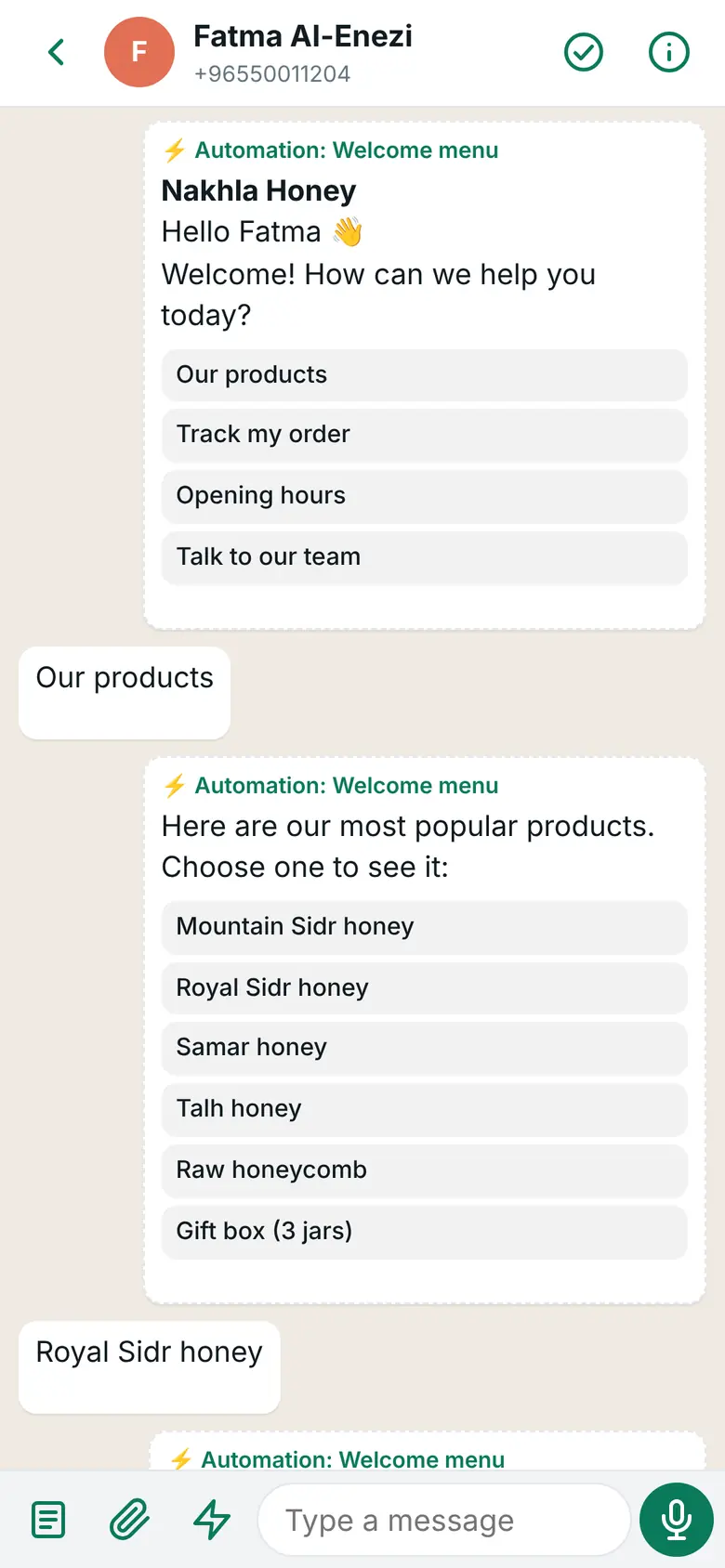
What you see in the inbox app on your phone
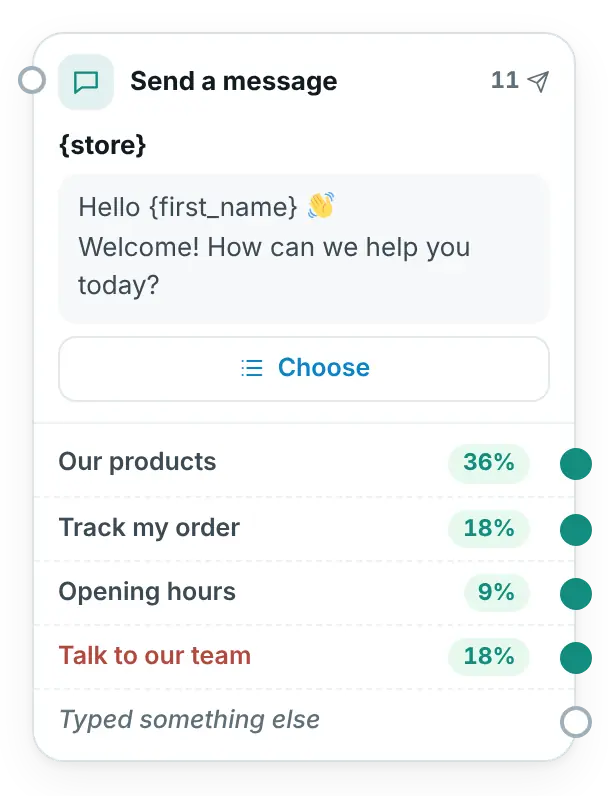
What you build once in WordPress
Sound familiar?
Moments that come up again and again in abaya and fashion stores.
“My ad brings a flood of ‘price?’ messages.”
You answer the same question one chat at a time, while new chats keep coming.
“They ask about sizes and lengths, then go quiet.”
The answer comes too late, or gets lost between other chats.
“I can’t tell which sales came from WhatsApp.”
Orders arrive, but nothing shows which ad or chat brought them.
From the ad to the Buy now button
Maryam taps a click-to-WhatsApp ad from Rimal Abayas on Instagram. Every message from the store here is sent by an automation.
- The “Click-to-WhatsApp ad” trigger starts the automation
- A “Show products” step lists the newest pieces, and she taps one
- The product comes with its photo, price, description and a Buy now button
- One tap on “Talk to our team” hands the chat to a person
Maryam
Hi, I saw your ad on Instagram 👋
Rimal Abayas · button: View products
Welcome, Maryam! Our new collection is here. Choose a piece to see it:
Maryam
Black crepe abaya
Rimal Abayas · button: Buy now
Black crepe abaya · 32.000 KD: Soft crepe with hand embroidery on the sleeves.
Rimal Abayas · button: Talk to our team
Not sure about your size? Our team can help you here.
Four moments where it helps
All of these are part of automations (Pro plan and up).
The click from your ad
Pro plan and upAn automation starts when the chat comes from your click-to-WhatsApp ad on Facebook or Instagram, for every ad or only the ones you choose. Meta charges nothing for your messages in these chats for up to 7 days after your first answer (as of 31 October 2026).
The link in your bio
Pro plan and upA wa.me link or QR code with its own code starts the right automation: one for your Instagram bio, another for the card in every bag. The QR code is made in your browser.
Size and length questions
Pro plan and upAn “Ask a question” step saves her answer, such as her height or the length she wants. A “Notify the team” action sends it to your phone, so your team replies with the details in hand.
Know what WhatsApp sold
Pro plan and upBuy now links carry utm_source=whatsapp and the automation, so WooCommerce’s order attribution shows which automation brought the order.
The features that help most
Automations
Pro plan and upMenus, buttons, questions and products that answer by themselves, with a way to a person from any step.
Chats from ads, links and QR codes
Pro plan and upEach source can start its own automation, with its own welcome.
Products with Buy now
Pro plan and upNewest pieces, a category or products on sale, inside the chat, with a button to checkout.
Inbox app
Pro plan and upChats handed to your team arrive on your phone with a notification, and the customer’s orders are one tap away.
Order messages
In every plan, from Starter upConfirmed, out for delivery, delivered: your own message for each order status.
Campaigns
Business plan and upA new collection to customers who agreed, with an image or video and a link button.
Start from a ready automation
Pro plan and up
- “Customers from ads”: greets them, asks their name and what they are looking for, tags them and notifies your team
- “Products in the chat”: your products with Buy now, from a keyword such as “prices”
- “Welcome menu”: products, order tracking, opening hours and your team, in one menu
- “Outside working hours”: tells customers when you open again
Change the words, the steps and the products to fit your store, then use “Try it” on your own WhatsApp before you switch it on.
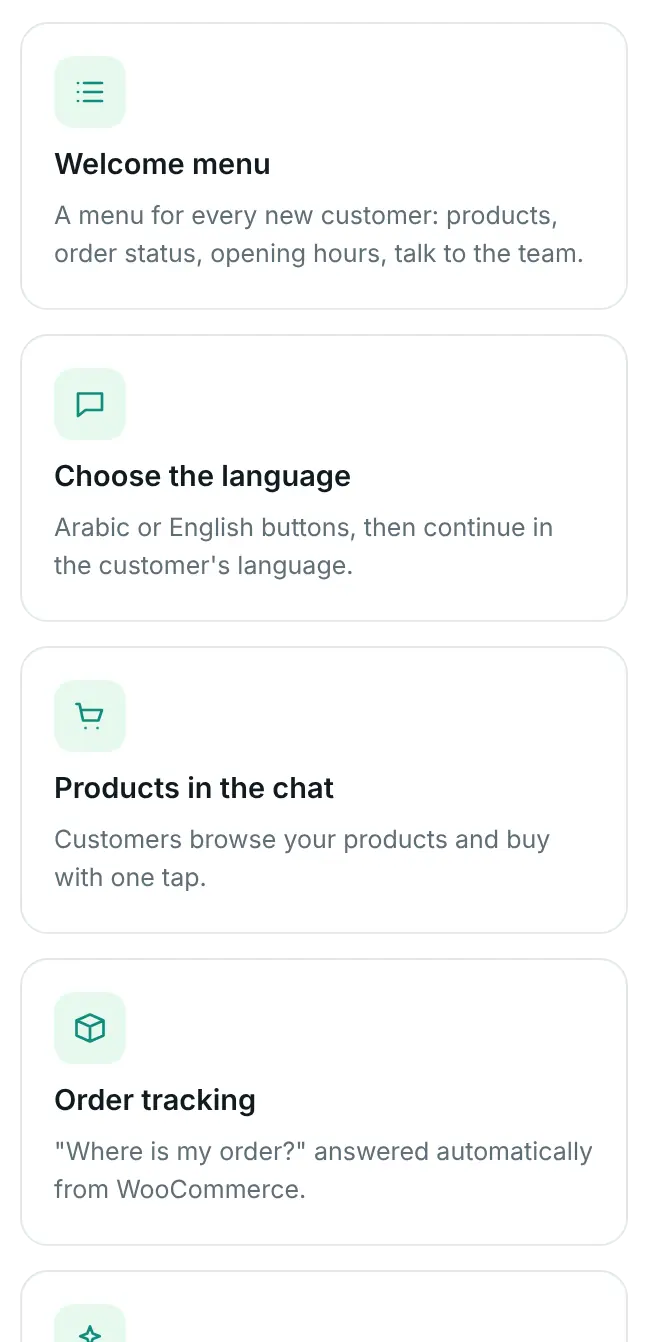
What you choose in WordPress
The plan we suggest
Pro has every automation on this page. Business adds campaigns for new collections.
Pro
$125/year (≈ 38 KD)
For one store.
Suggested
- Automations from ads, links and QR codes
- Products with Buy now and questions that save the answer
- The inbox app for the chats your team takes over
Business
$209/year (≈ 64 KD)
For one store.
For new collections
- Everything in Pro
- Campaigns to customers who agreed, with a report
- Contacts with tags and a consent log
Good to know
Meta facts as of 31 October 2026.
Click-to-WhatsApp ads are created and paid for in Meta’s Ads Manager, outside the plugin. The plugin starts your automation when a chat comes from one of them.
They reply to customers who wrote in the last 24 hours. Since 1 October 2026 Meta bills these replies to your own WhatsApp Business account: the first 1,000 each month on each WhatsApp number cost nothing, then Meta charges its service rate for your customer’s country. When a customer writes from your click-to-WhatsApp ad and you answer within 24 hours, Meta charges nothing in that chat for up to 7 days. We add nothing on top.
Product photos show in the chat when they are JPEG or PNG up to 5 MB; a product with only a WebP photo is sent without the picture. Products with sizes or colors open their page, so the customer picks the option there.
Questions from fashion stores
Do I have to run ads?
No. An automation can also start from a wa.me link or QR code, a keyword such as “price”, a customer’s first message, or any other message.
Can she choose her size inside WhatsApp?
Not inside the chat. An abaya with sizes opens its product page, where she picks the size and checks out. A product with one option goes straight to checkout.
Does it answer my Instagram messages?
No. WAPI Connect Pro works with WhatsApp only. Your Instagram bio and ads can send people to WhatsApp with a link or a click-to-WhatsApp ad.
What if she wants a person?
Words like “agent” or «موظف» reach a person from any step. A “Talk to a person” step pauses automations in that chat, 12 hours by default or until you tap “Mark as done”, and your team gets a notification.
Can I send the new collection to all my followers?
No. Campaigns (Business) go only to contacts who agreed to receive WhatsApp messages from your store. Followers on Instagram are not contacts.
Turn your ad clicks into orders
Pick a plan today, or ask us anything first.