Your WhatsApp templates,
made inside WordPress
In every plan, from Starter up
Write the WhatsApp messages your store starts, and send them to Meta for review, without leaving WordPress. WhatsApp lets a business start a chat only with a message template that Meta has approved: order updates, cart reminders, login codes and offers all need one.
Find it in WAPI Connect → Templates. It works without WooCommerce too.
- Arabic and English under one template name
- Carousels, limited-time offers, coupon codes and a location header
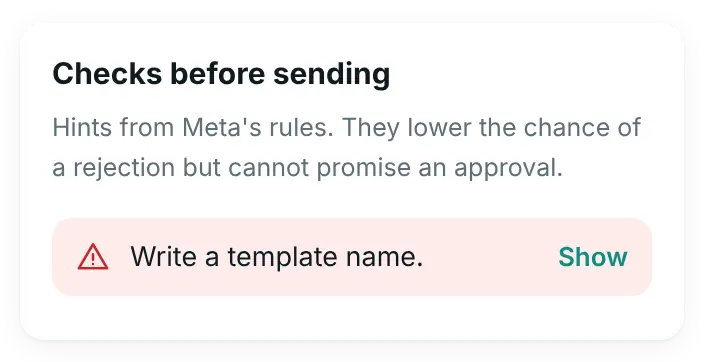
- Each problem shows next to its field, before Meta sees the template
- A phone preview in each language, right to left for Arabic
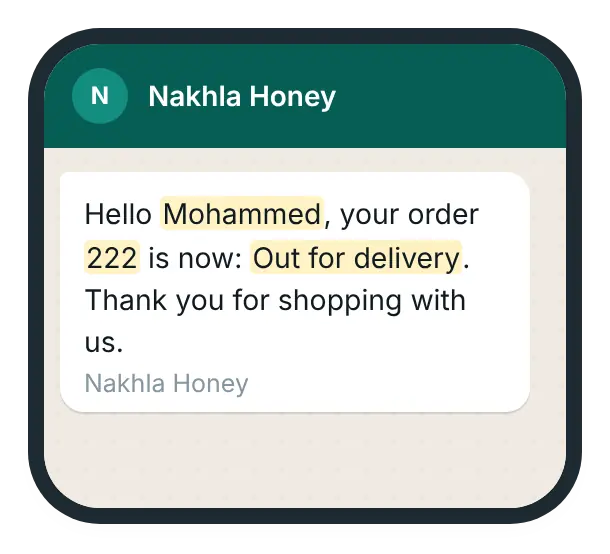
What your customer will get
What you check before Meta sees it
How it works
From the first idea to a template that sends by itself:
You start from a ready template
An order update, a cart reminder, an offer or a login code, or a blank one, in Arabic and English under one name.
You check it and send it to Meta
Press “Check”: each problem Meta would refuse shows next to its field. Then “Send to Meta for review”, which usually takes minutes and at most 24 hours.
Meta approves it, and it goes to work
“Use for” puts it into order messages, cart reminders or the login code, and it sends as soon as Meta approves it. Campaigns can send it too (Business plan and up).
Every part a template can have
Carousels and limited-time offers are Marketing templates.
Headers
Text (up to 60 characters), a picture, a video, a document or a location. The message text holds up to 1,024 characters, or 600 in a limited-time offer. Pictures, videos and PDF files need your Meta App ID. The plugin usually finds it by itself; if not, enter it in the optional field in Settings → WhatsApp API.
Carousels
2 to 10 cards, each with a picture or a video and one or two buttons. Fill the cards from your WooCommerce products in one step (picture, name, price and product link), or by hand.
Limited-time offers
An offer with a countdown and a coupon code the customer can copy.
Buttons
A link, a quick reply, a phone number, or a coupon code of up to 20 characters (15 in a limited-time offer).
Variables
Pick each variable from a list (customer name, order number, tracking link, cart link, coupon code…) and give it a name. Meta reviews the template with sample values: names, phone numbers, addresses and tracking always get neutral examples. “Use my last order” fills only the order details, such as number, date, total and products.
Starting points
Begin from an order update, a cart reminder, an offer with a picture, a coupon, a limited-time offer, a carousel, a branch location or a login code, then change what you need.
Checked before it goes to Meta
Press “Check”, or “Send to Meta for review”, and the plugin checks the template against Meta’s rules first. The same checks run in the browser and on the server.
- Variables, lengths, buttons and links
- The rules for carousels and limited-time offers
- A Utility text that sounds like an offer, which Meta may move to Marketing
- Each problem shows next to its field, so you know what to fix
The phone preview shows the message close to how WhatsApp will, right to left for Arabic.
Ready templates, created in one click
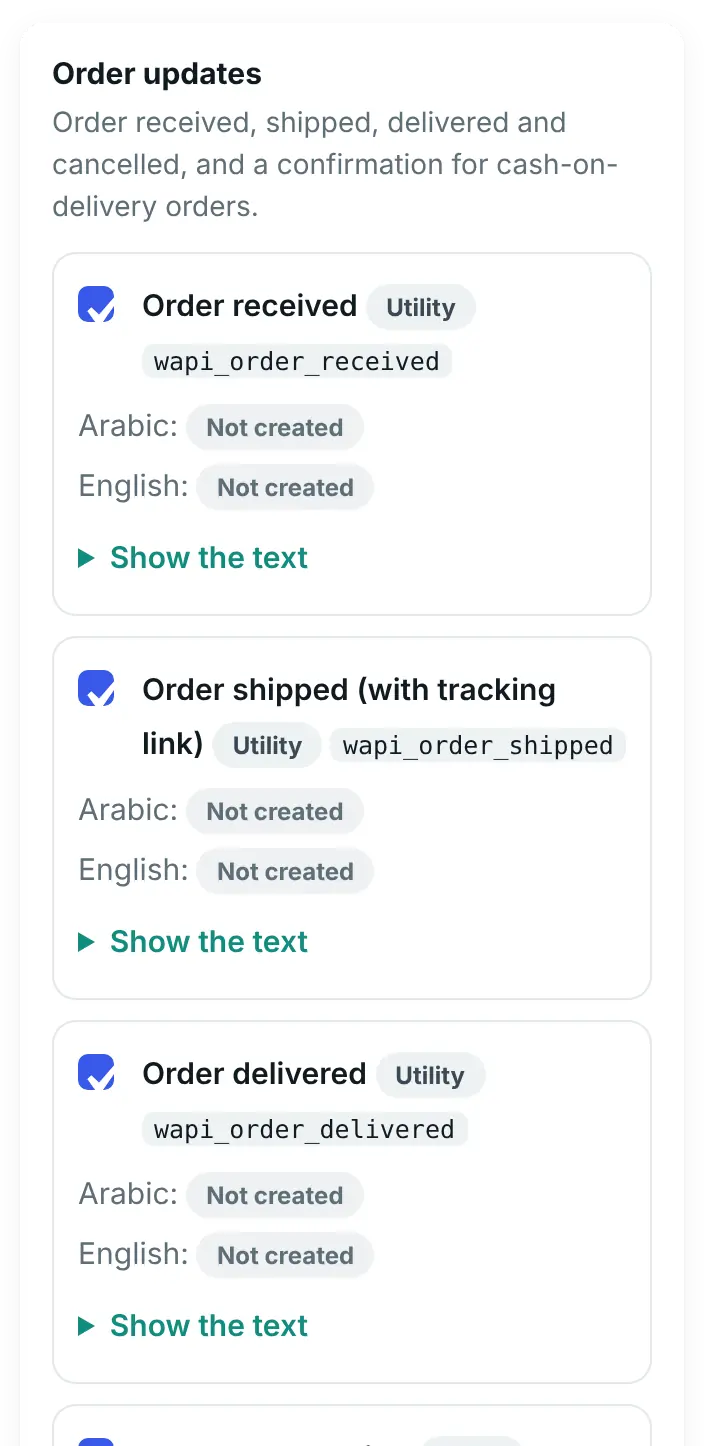
- Starter packs in Arabic and English: order received, shipped with tracking link, delivered, cancelled, cash-on-delivery confirmation, cart reminder and login code
- Meta’s template library, with Utility and login-code templates only, many of them in English only
- Each one is checked before it is sent to Meta for review
“Use for” puts a template straight into Order messages, cart reminders or the login code. It is used there as soon as Meta approves it.
What you choose in WordPress
The list keeps itself up to date
- Meta’s review result, quality, category changes and pauses arrive by webhook, with a daily sync as well
- Meta’s rejection reason is explained in plain words, next to the part to fix
- Each template shows where it is used (campaigns, order messages, cart reminders, login code, settings) and how many times this site sent it
- A template in use cannot be deleted. Editing an approved one warns that sending stops until Meta approves it again; “Duplicate” keeps the old one working
- A template Meta pauses or disables holds the running campaigns that use it before any message goes out, and Account health says where it is used
Connection Doctor also checks that the plugin may manage your templates at Meta, that news about your templates reaches your site (with a one-click fix) and that the daily check runs. It also lists approved templates this site has not used in the last 11 months, before Meta archives them.
What you see in WordPress

Where your templates go to work
Order messages
In every plan, from Starter upOne template for each WooCommerce order status, with values from the order filled in.
See order messagesCart reminders and the login code
In every plan, from Starter up“Use for” puts a template into your cart reminders or the WhatsApp login code.
See cart remindersCampaigns
Business plan and upSend carousels, limited-time offers and a branch location to customers who said yes.
See campaigns
Meta’s rules, shown before you act
As listed in plugin 2.10.0, October 2026. Meta can change them.
- Meta reviews every template, up to 24 hours; only approved templates are sent
- 100 new templates an hour; 250 templates per account, or 6,000 with a verified business portfolio and an approved display name (each language counts as one)
- An approved template can be edited once in 24 hours and 10 times in 30 days. An edit sends it back to review, and its name, language and category cannot change
- The name of a deleted approved template is blocked for 30 days
- Meta may move an offer-like Utility template to Marketing, which costs more; repeated cases can limit your Utility messages
- Limited-time offers, coupon buttons, 4 or more buttons, and quick replies mixed with other buttons do not show in WhatsApp on a computer or the web
- Templates not sent or edited for 12 months are archived, and deleted 28 days later unless restored. The plugin counts only the sends from this site
Not in this version
Plugin 2.10.0 does not include these.
- Flow (form) buttons and voice-call buttons
- Catalog and multi-product messages, and product carousels from a WhatsApp catalog
- Sending templates from automations, which still reply inside the 24-hour window only
- Sending location-header templates from the inbox or from a template field in Settings (Campaigns and Order messages send them)
- Meta’s own click and cost statistics for templates
- Archiving or restoring a template, which stays in WhatsApp Manager
- An AI writer for templates
Questions about message templates
Do I still need WhatsApp Manager?
Only to archive or restore a template. You create, edit, duplicate and delete templates on the Templates screen. Meta still reviews every template before it can be sent.
How long does Meta’s review take?
Usually a few minutes, and at most 24 hours (as of 17 October 2026). The list shows the result as soon as Meta sends it.
Can I edit a template Meta has approved?
Yes, once in 24 hours and 10 times in 30 days, by Meta’s rules as listed in plugin 2.10.0. The edit goes back to review and sending stops until Meta approves it again. Its name, language and category cannot change. To keep the old one working, use “Duplicate” and edit the copy.
Which plan do I need?
The Templates screen is in every plan, from Starter up. Sending carousels, limited-time offers and location templates in campaigns needs the Business plan.
Does it work without WooCommerce?
Yes, the screen works on any WordPress site. Filling carousel cards from products, “Use my last order”, and “Use for” an order message or a cart reminder need WooCommerce.
Can automations send templates?
No. Automations reply inside the 24-hour window only. Sending templates from automations is not in plugin 2.10.0.
Write your next template in WordPress
The Templates screen is in every plan, from Starter up.