Every order update on WhatsApp, in Arabic,
from your store’s own number
Suggested plan: Pro
Your customers already talk to you on WhatsApp. WAPI Connect Pro sends each order status as your own WhatsApp message, and brings every reply to the inbox app on your phone.
- Your own template for each order status, with tracking values filled in.
- A WhatsApp message to your own number for every new order.
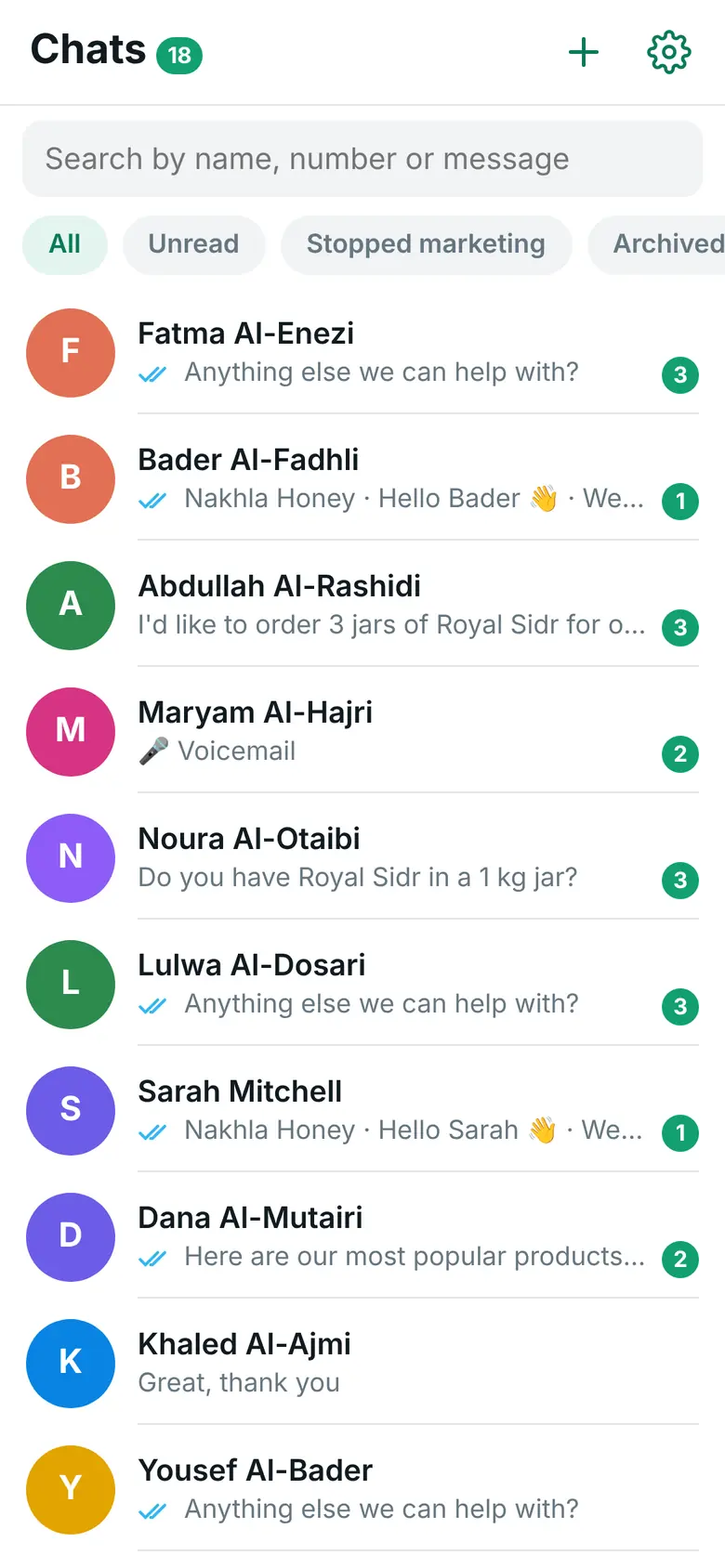
- Every customer chat on your phone, with a notification, saved replies and the customer’s orders.
What your customer gets on WhatsApp

What you see on your phone
Sound familiar?
A normal day for many stores in the Gulf.
“Customers call all day to ask where their order is.”
Every call is a question your store could have answered before anyone asked it.
“I send tracking numbers by hand, one chat at a time.”
Copying numbers from the shipping screen into WhatsApp takes time, and goes wrong on a busy day.
“Replies get lost on my personal phone.”
Customer messages sit between family chats, and nobody knows which ones still need an answer.
One order, from confirmed to delivered
Mohammed orders from Nakhla Honey, a honey store in Kuwait (the demo store on this site). Each order message goes out by itself when you change the order status. The reply in the middle is yours, typed in the inbox app on your phone.
- You set order #222 to “Processing”: Mohammed gets the confirmation with the order number
- You set it to “Out for delivery”, a status the plugin adds to WooCommerce: he gets the tracking number and a Track delivery button
- His question reaches the inbox app on your phone with a notification, and you answer him there
- You set it to “Completed”: the last message closes the loop, with no phone call
Nakhla Honey
Hello Mohammed, we received your order #222 and we are preparing it now.
Nakhla Honey
Good news, Mohammed! Your order #222 is out for delivery to Mishref, Block 5, Street 14 today. Tracking number: NKH‑48213‑KW. Thank you for shopping with us.
Track delivery
Mohammed
Can the driver come in the evening? I am at work 🙏
Nakhla Honey
Of course, Mohammed. We told the driver: this evening.
Nakhla Honey
Your order #222 has arrived. Thank you for shopping with us, Mohammed.
Four moments where it helps
The plan name shows the smallest plan that includes it.
A new order at midnight
In every plan, from Starter upThe customer gets your confirmation with the order number and total. You get a new-order alert on your own WhatsApp number, so you see it first thing.
The driver leaves the shop
In every plan, from Starter upSet the order to “Out for delivery”. The customer gets your message with the delivery area, the tracking number and the tracking link, filled in from the order.
The customer replies to the update
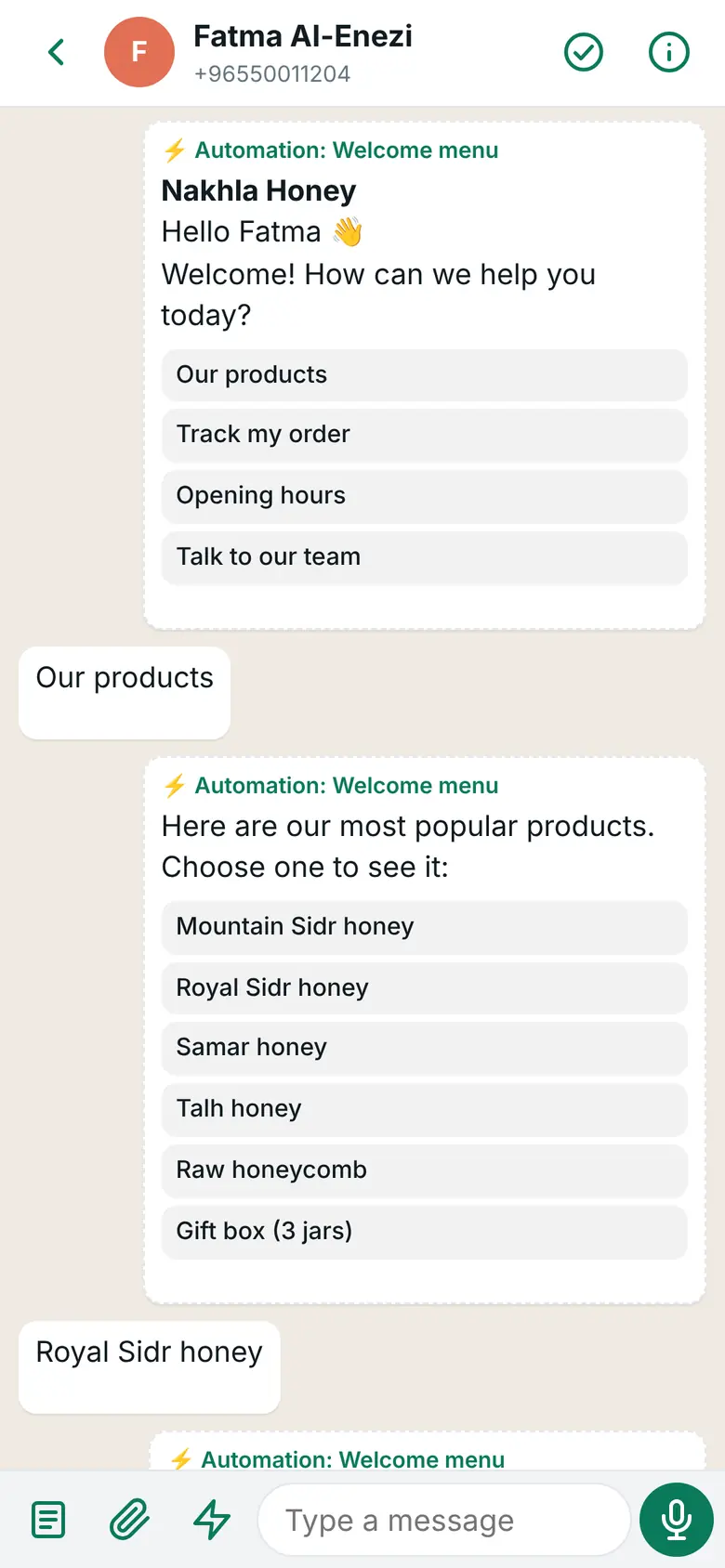
Pro plan and upThe reply reaches the inbox app on your phone with a notification. Her latest orders are one tap away, and a saved reply answers common questions in one tap.
A customer signs in with a code
In every plan, from Starter upThe WhatsApp login code works on your login page and at checkout. Numbers typed with Arabic digits, with 00 or without the country code are understood.
The features that help most
Order messages
In every plan, from Starter upYour own template for each order status, custom statuses too, with tracking values filled in.
New-order alert
In every plan, from Starter upA WhatsApp message to your own number for every new order.
WhatsApp login code
In every plan, from Starter upCustomers sign in and check out with a code sent to their WhatsApp.
Inbox app for iPhone and Android
Pro plan and upEvery customer chat on your phone, with a notification, saved replies and the customer’s orders.
Order tracking by itself
Pro plan and upA customer writes “وين طلبي؟” or “my order”, and the ready Order tracking automation sends the status of their latest orders.
Connection Doctor and account health
In every plan, from Starter upChecks your setup with Meta, your messaging limit, quality and costs.
Your dashboard in one language, your customers in another
- Two separate settings: “Plugin language (your screens)” for you, “Customer language” for the login page, the checkout text and the templates sent to customers
- Your templates are your own words: pick one for each order status, in Arabic or English
- Values from the order: first name, order number, total, products, payment method, delivery area or address, tracking number and link
- With automations (Pro), customers can choose Arabic or English in the chat
What you set once in WordPress

Pro: order messages, plus every reply on your phone
$125/year (≈ 38 KD) for one store, paid once a year.
- Everything in Starter: order messages, the new-order alert, login codes, cart reminders, Connection Doctor and account health
- The inbox app on iPhone (iOS 16.4 or newer for notifications) and Android
- Saved replies, done and rating, and a stop-marketing button per customer
- Automations, including order tracking and products with Buy now
Starter ($55/year) is enough if you only want the messages to go out. Choose Business when you want campaigns to customers who agreed.
What you see on your phone
Good to know
Meta facts as of 31 October 2026.
The number you connect works through Meta’s WhatsApp Cloud API and leaves the WhatsApp Business app on your phone. Many stores pick a new number for this. Your chats then move to the inbox app, so you still answer from your phone.
Order updates are utility templates. Meta bills your own WhatsApp Business account for each delivered message, at its rate for your customer’s country. Since 1 October 2026 that includes messages inside the 24-hour customer service window: Meta charges nothing for the first 1,000 replies each month on each WhatsApp number, then charges its service rate. Utility templates sent inside the window are charged at the utility rate. When a customer writes from your click-to-WhatsApp ad and you answer within 24 hours, Meta charges nothing in that chat for up to 7 days. We add nothing on top. See Meta’s pricing page.
Review usually takes minutes and can take up to 24 hours. Use one specific Utility template per status, such as “Your order is on its way”. Meta may move a general “your status changed” template to another category.
Questions from Gulf stores
Can the messages be in Arabic?
Yes. You write each template yourself, in Arabic or English, and pick one for each order status. The dashboard has its own language setting, so you can work in English while your customers read Arabic.
Does it work with my shipping company?
If your shipping plugin saves the tracking number on the order (WooCommerce Shipment Tracking, Advanced Shipment Tracking, AfterShip or a simple tracking field), the plugin fills it into the message. Check it with the preview of your latest order on the Order messages screen. For your own drivers, use the “Out for delivery” and “Order delivered” statuses.
Can customers outside Kuwait get the messages?
Yes, any WhatsApp number with its country code. Meta charges each message at its rate for the customer’s country.
Can I keep my current WhatsApp number?
You can, but it then works through the Cloud API and leaves the WhatsApp Business app. Keeping it in the app at the same time is not offered. Many stores pick a new number for this.
Do I need the Pro plan?
Starter sends order messages, the new-order alert, login codes and cart reminders. Reading and answering customer replies in the inbox app starts with Pro.
Give your customers their updates on WhatsApp
Pick a plan today, or ask us anything first.